
If you are a VAT payer but have received an invoice from Simplbooks with calculated VAT – what should you do?
First, check the company’s billing information – it most likely does not include a VAT number.
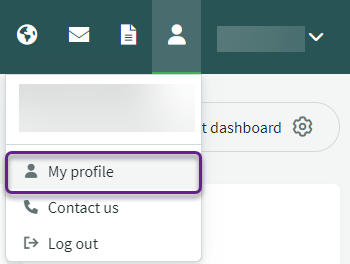
- Hover the mouse cursor over a person’s icon (next to the company name, on the right side of the screen, at the top), you will see the “My Profile” option. Clicking it will take you to the profile management window.
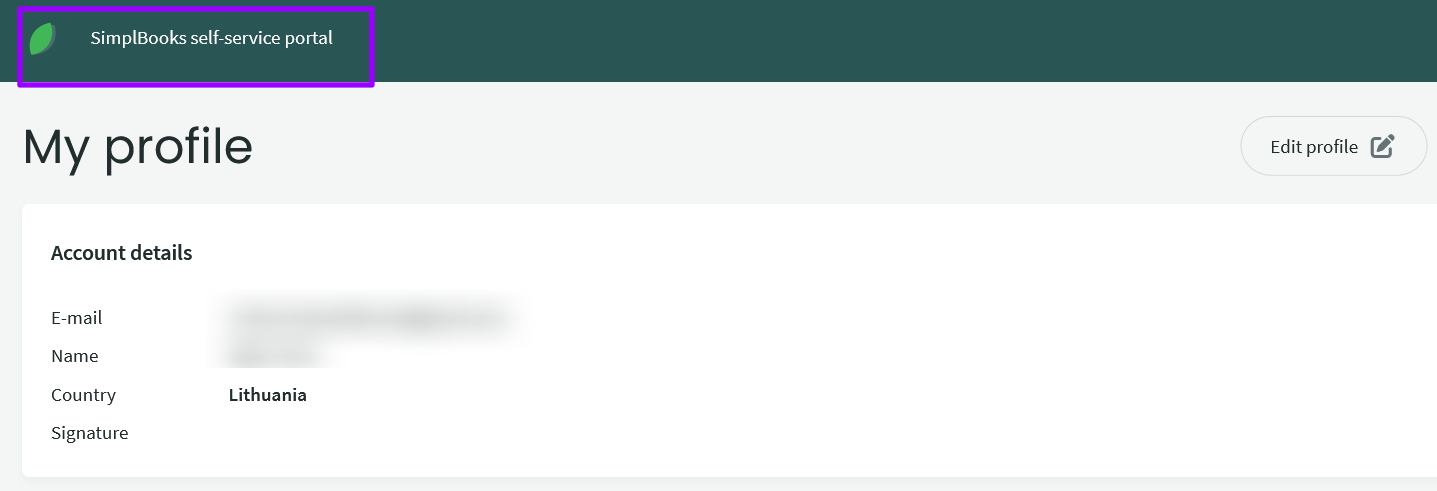
- At the top left, click “SimplBooks self-service portal“
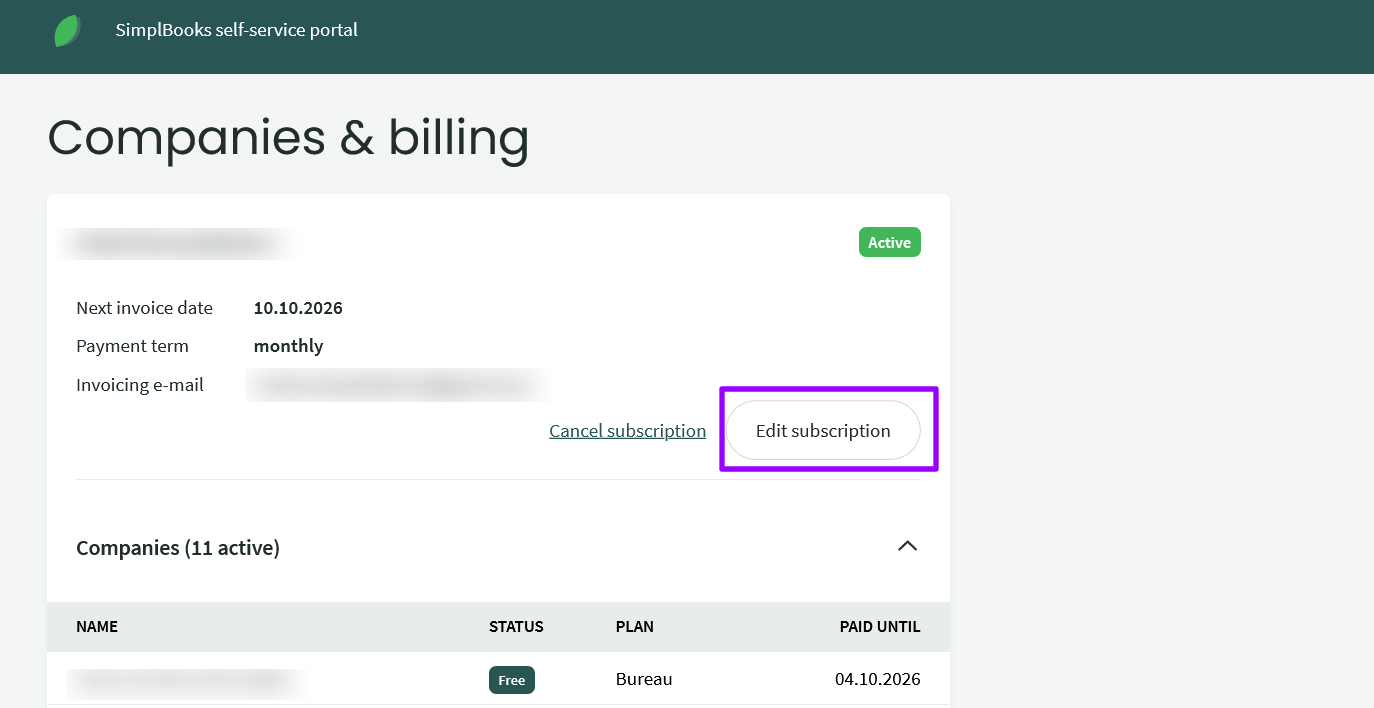
- Click “Edit subscription/plan“
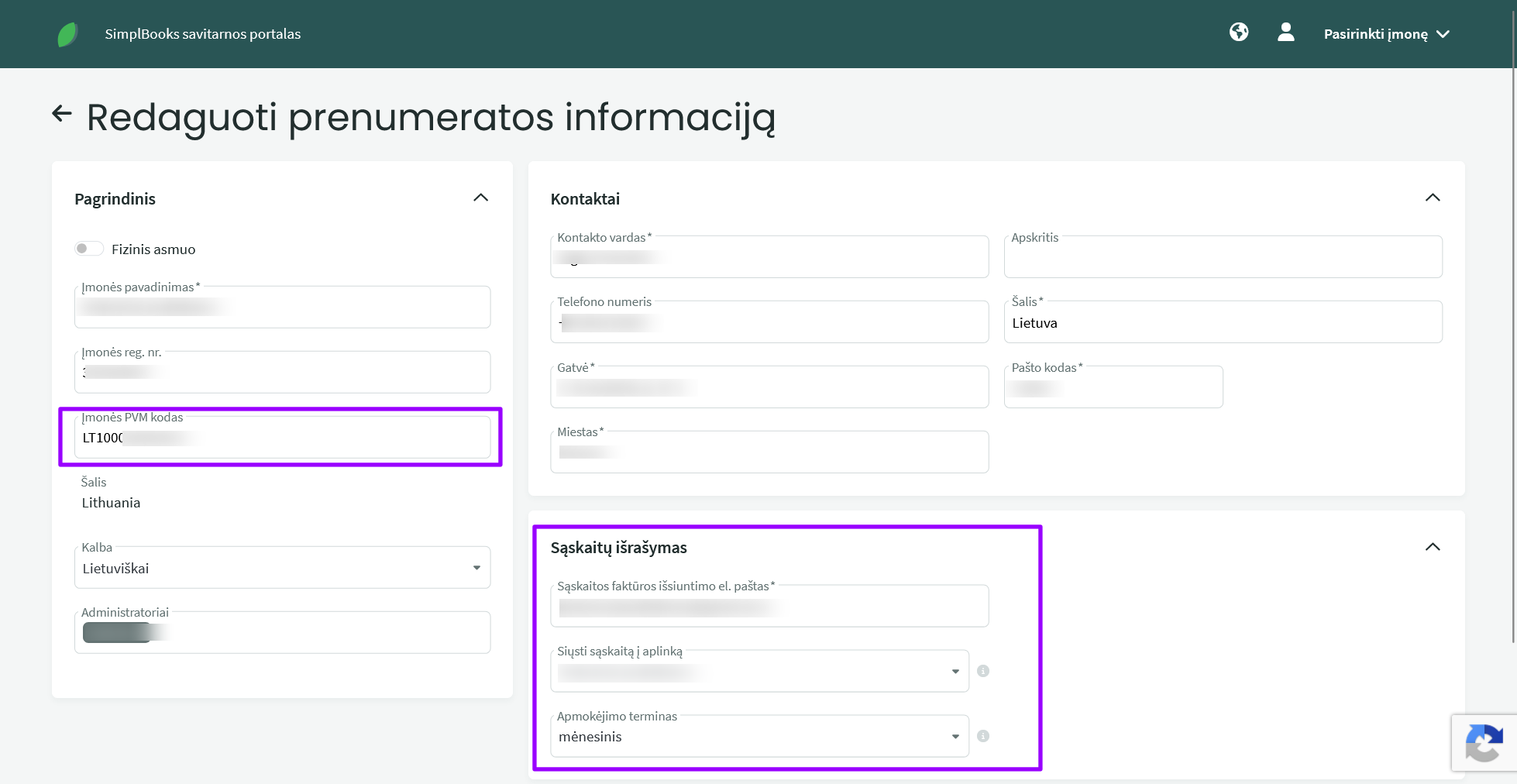
In the subscription information that opens, check if the “Company VAT Code” field is filled in. If not, fill it in and click save. In this window, you can also check and change other information related to your account and payment – contact details, email address to which the invoice should be sent, and so on.

Leave A Comment?