
Project accounting can theoretically be used in almost every field of activity, for example:
1. In construction – separating different construction sites
2. IT in the field – the separation of different IT projects
3. In event organization – to separate different events
4. Also and in terms of business areas, if one company operates in several directions: separation of construction and real estate, separation of marketing and training organization, separation of several e-shops, etc.
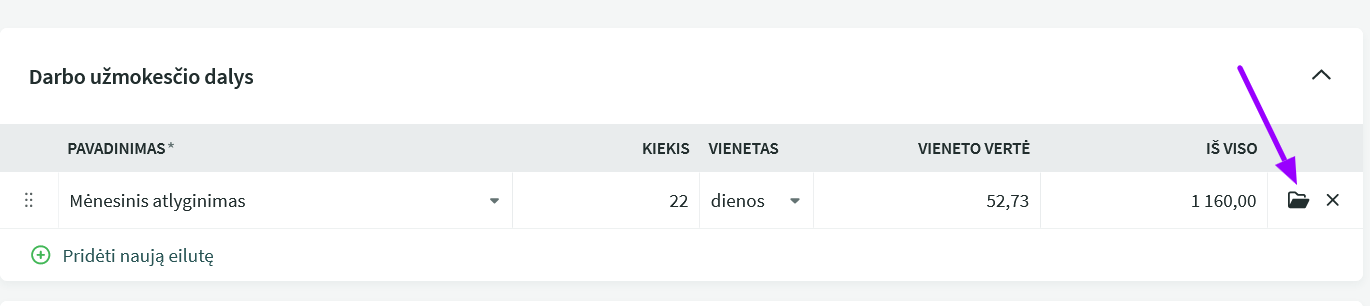
Sales and purchase invoices, payroll calculations, and directly added to records can be linked to the project. The option to add a project arises when the project is added in the environment settings.
What needs to be done to use projects:
● Project creation: Settings -> Environment settings -> Project parameters – Add a new project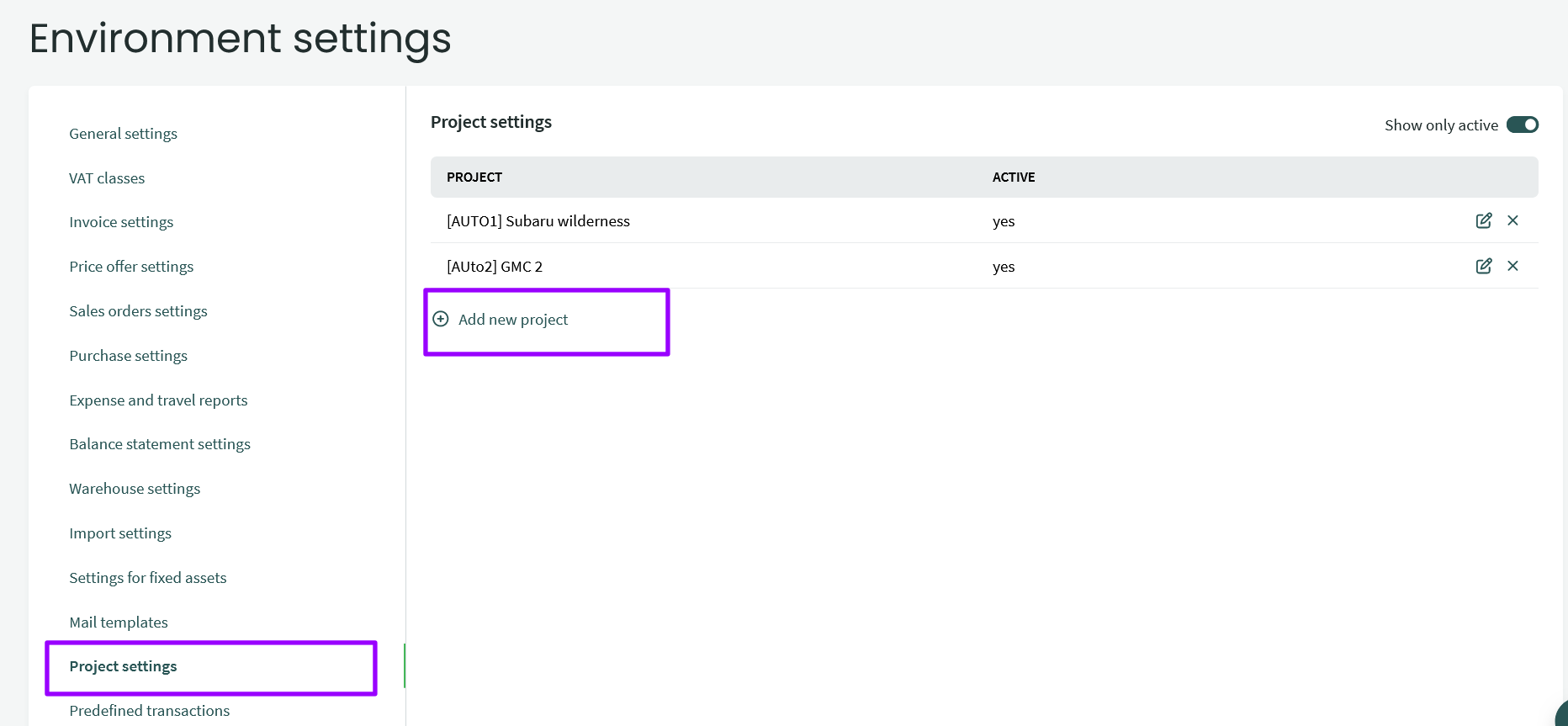
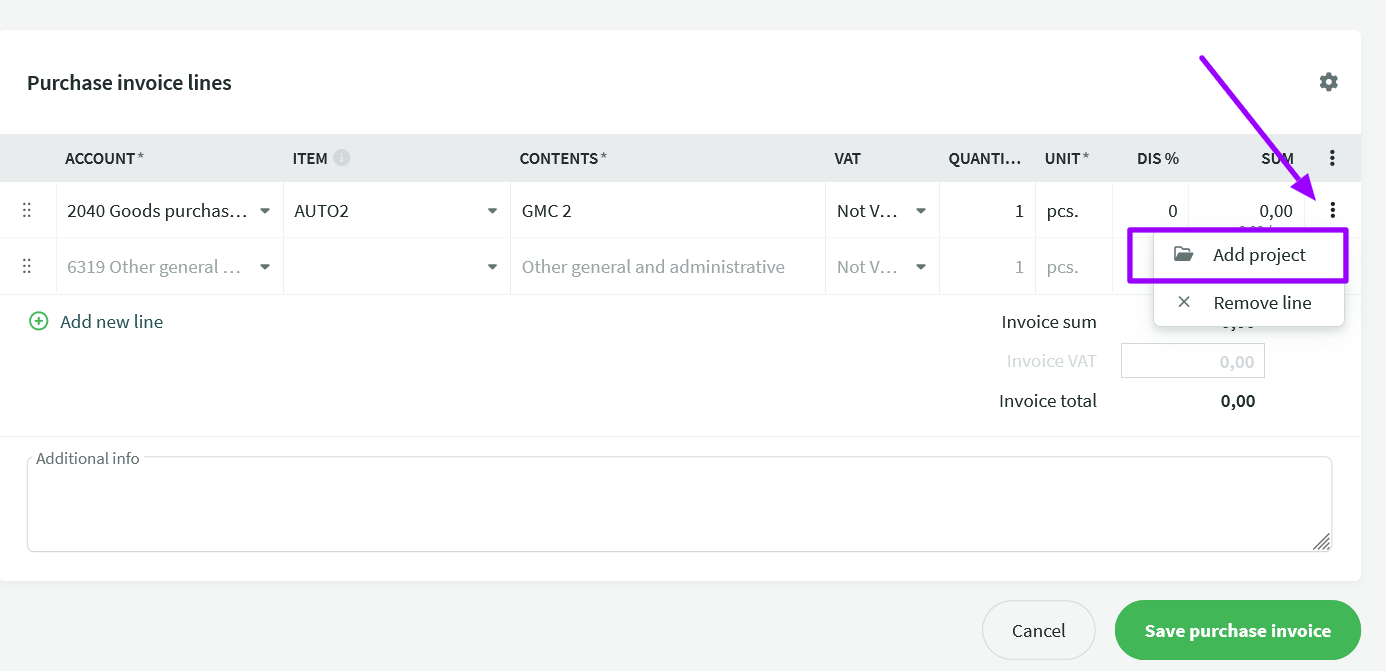
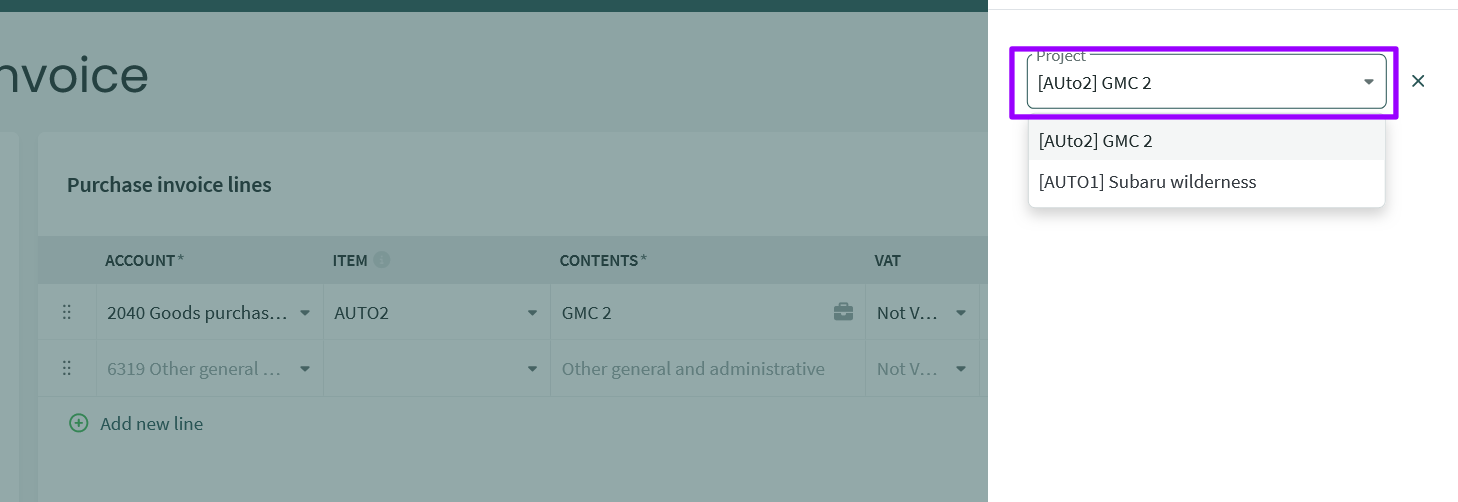
● Clicking the project icon opens a window where you can link a line to one or more projects. You can add a project by clicking the “Add project” button.
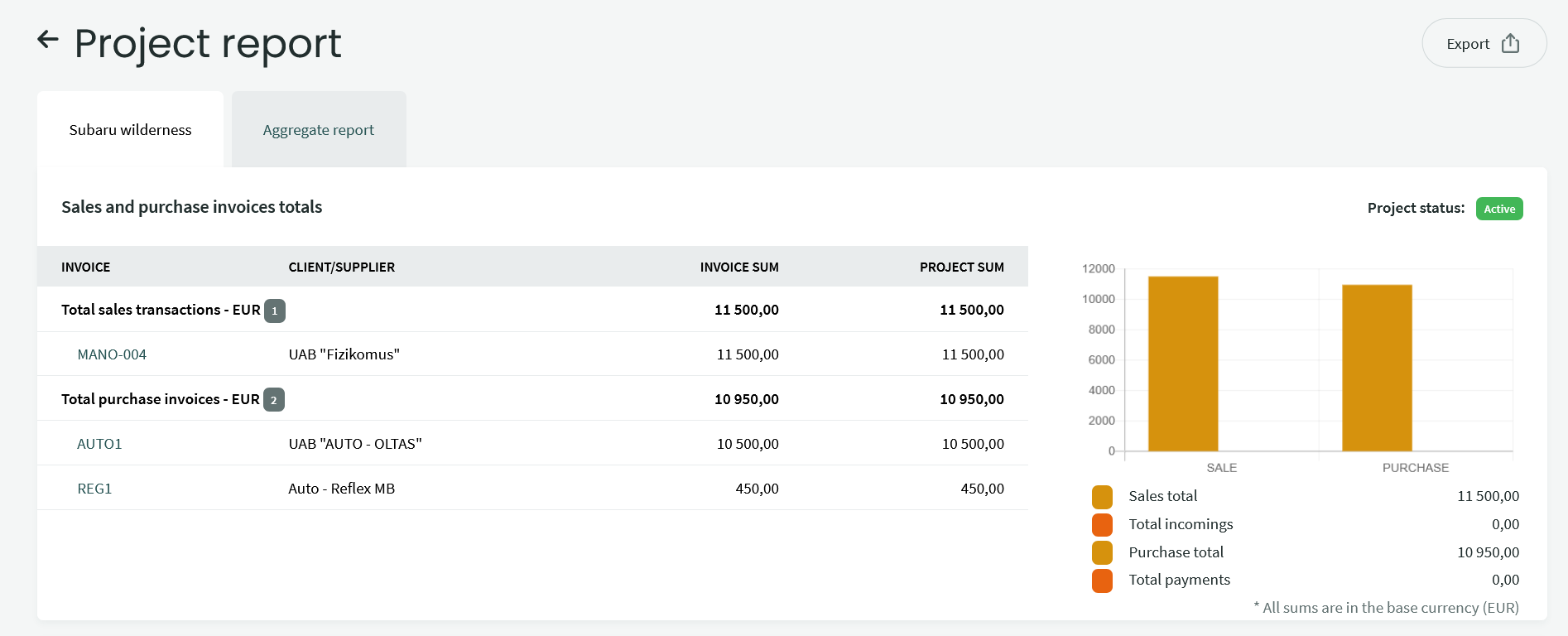
The project report can be found in Reports -> Project Report.
To view the report, you need to select the period and project in the filters.

The aggregated summary report calculates all (including inactive) projects linked to purchase accounts, sales accounts, and payroll.
If you have any additional questions, please write to us at support@simplbooks.lt