
Entering bank, state tax, and other transactions that are not related to invoices.
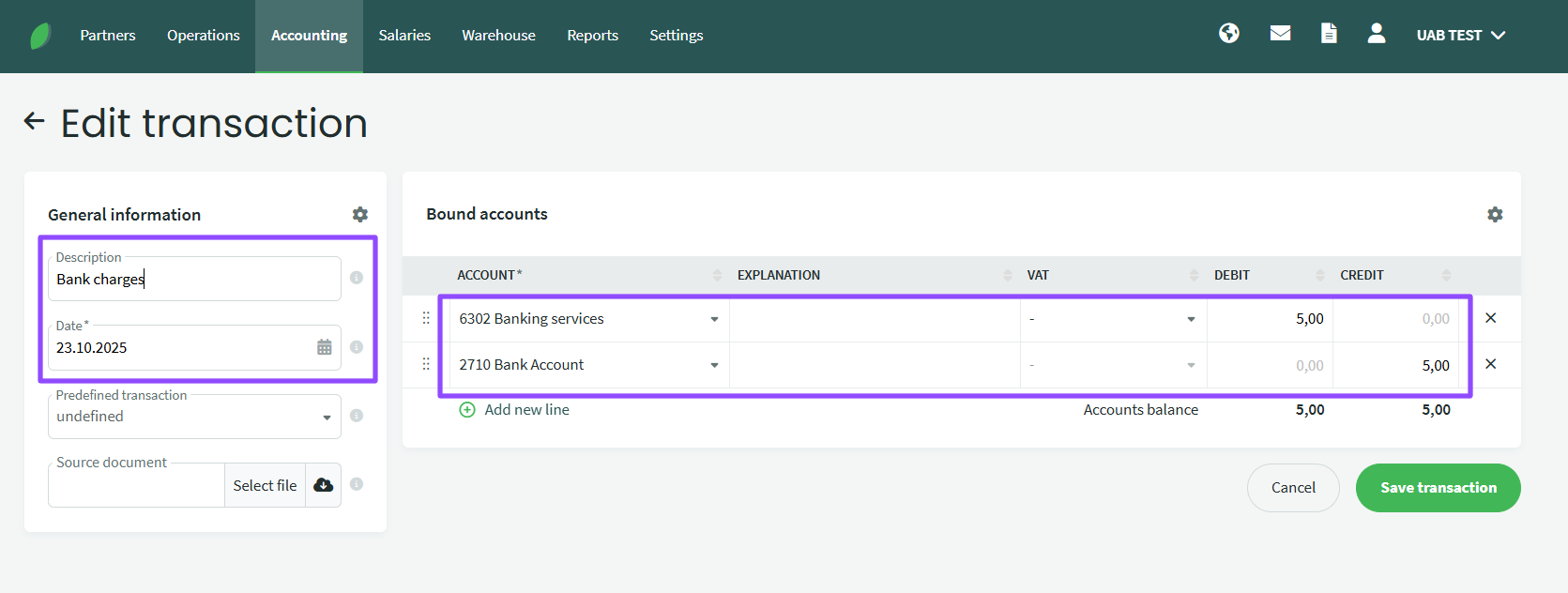
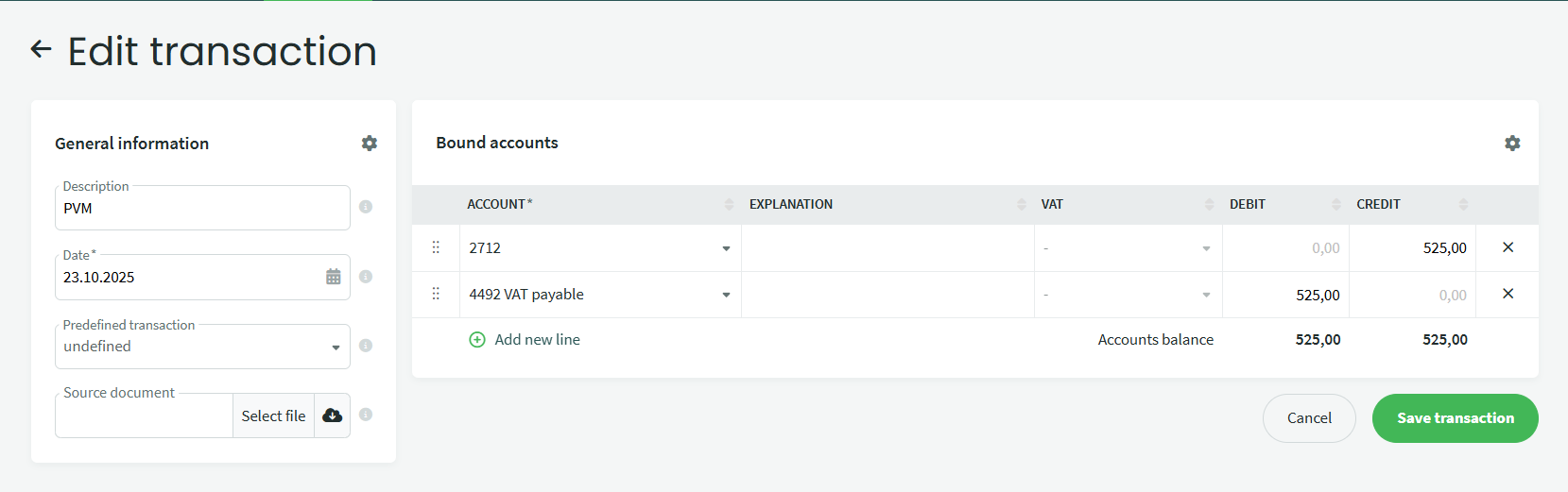
If you want to enter a payment that is not related to a purchase or sale, such as a bank commission fee or taxes, go to Accounting – Transactions, click +New transaction and enter the data (description, date, amount). The image below shows how to enter a bank commission entry, VAT payment entry).
Įkelkite banko išrašo xml failą, kaip įprastai per Įplaukas ar Išlaidas arba per meniu Darbo užmokestis – Išmokėjimai – Importuoti. Importuojamas vaizdas atrodys panašiai kaip paveiksliuke žemiau.
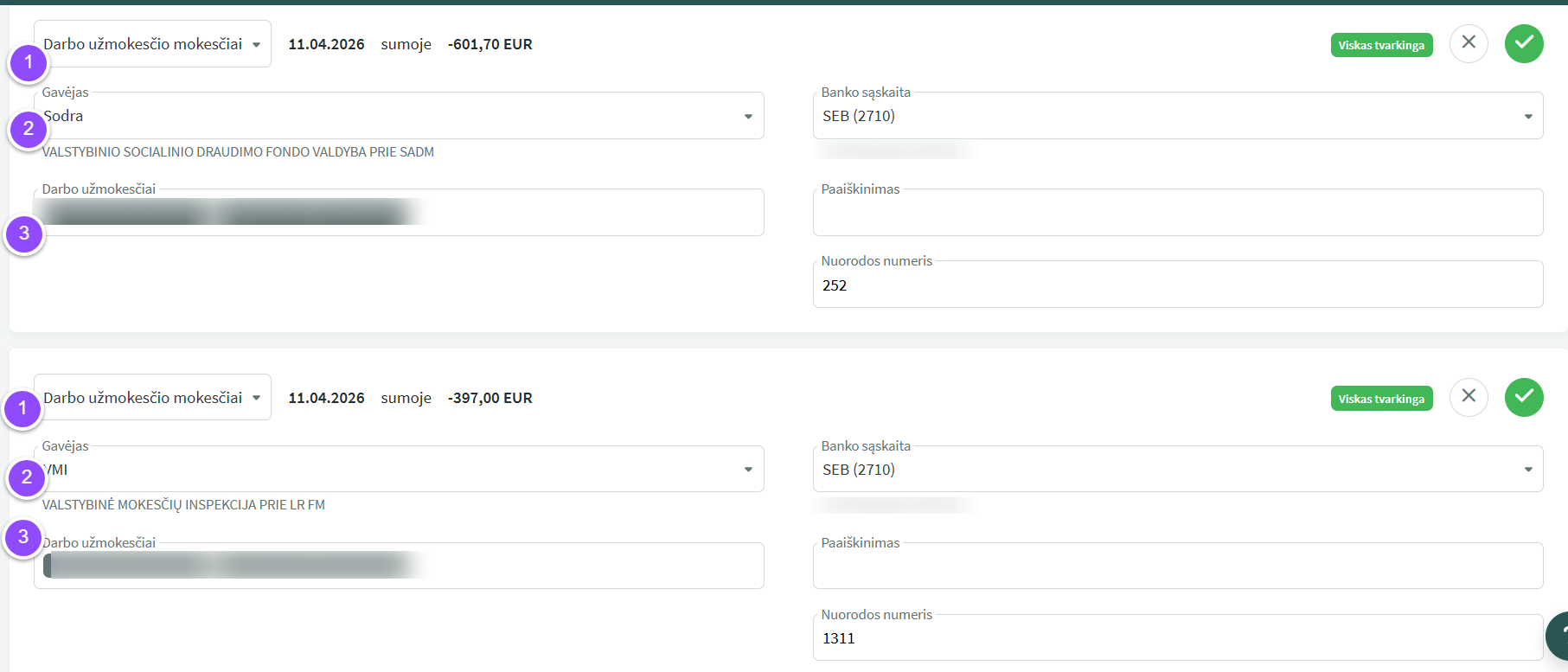
- Click and select either “Payroll Payment” or “Payroll Taxes” as needed.
- Select the recipient—VMI, Sodra, or the employee—as needed.
- Select the period (clicking will open the selection menu).
If You have more questions, please contact us support@simplbooks.lt

Leave A Comment?