
Operation -> Cash register
This section displays all transactions carried out through the company’s cash register.
Cash transactions can be entered in the following ways:
- From the sales or purchase invoice window by selecting ‘Mark as Paid‘ from the Actions menu.
- By selecting +New Receipt or +New Payment in the Cash window (and linking it to an invoice if required).
If the payment or receipt is linked to a single invoice, it is more convenient to mark it as paid directly from the invoice.
If a single cash transaction is linked to multiple invoices, it is better to enter it from the Cash window and link it to the relevant invoices (Actions → Link receipt to invoice / Link payment to purchase invoice).
Cash payments to accountable persons can also be entered here.
All cash transactions are also displayed under Operations → Payments and Operations → Receipts.
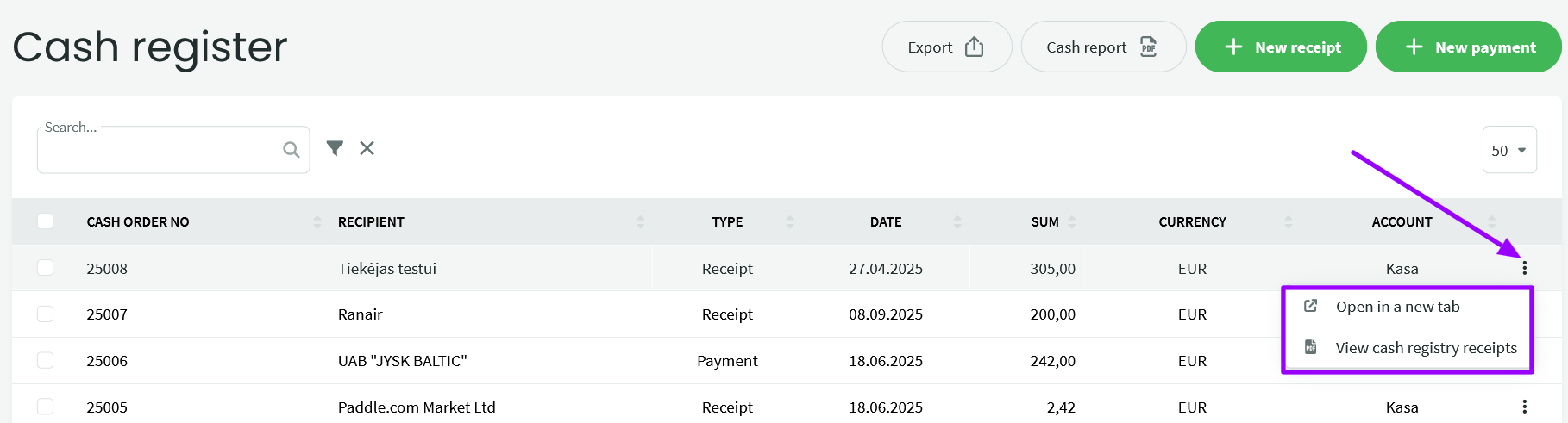
The Cash Receipt Voucher and Cash Payment Voucher in PDF format can be found in the Cash transaction list under the three-dot menu at the end of each row.
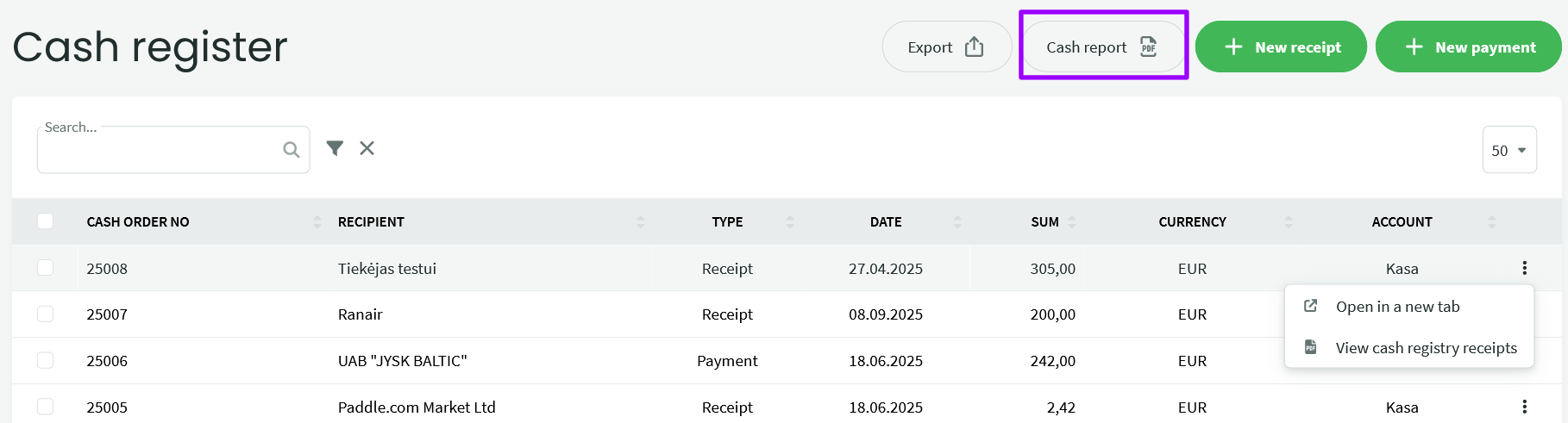
The Cash Report PDF button is located in the Cash section header next to the Export button. Click the report button, select the report start and end dates, and then click Next. The system will automatically download the report to your computer.
If you have any additional questions, please contact us at support@simplbooks.lt