
Entering bank, state tax, and other transactions that are not related to invoices.
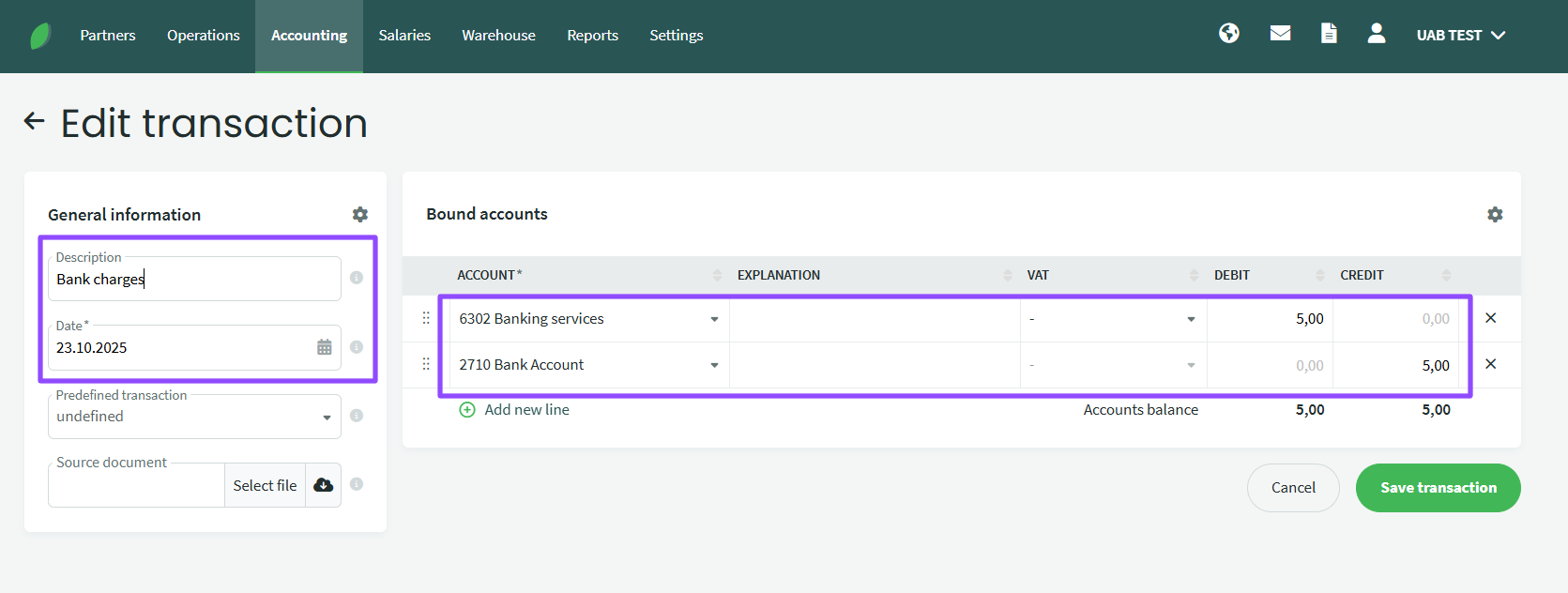
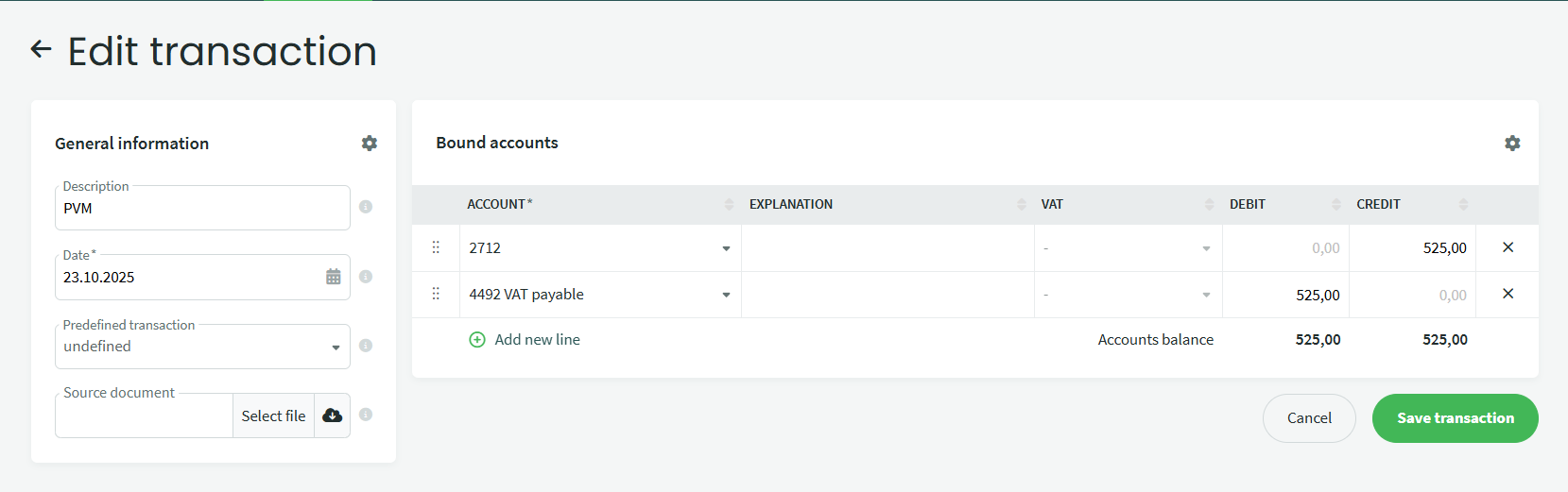
If you want to enter a payment that is not related to a purchase or sale, such as a bank commission fee or taxes, go to Accounting – Transactions, click +New transaction and enter the data (description, date, amount). The image below shows how to enter a bank commission entry, VAT payment entry).
If You have more questions, please contact us support@simplbooks.lt

Leave A Comment?