
Customer/supplier data can be changed in the customer card, menu Partners – Customers and Suppliers – by clicking on the desired company
Different segments of the customer/supplier card page display contact details, notes, sales and purchase invoices, and other information. From the client card, you can add an invoice, other documents, view debt, overpayment, and edit the client. On the right side, at the top, click “Actions” – select the desired action.
Attention! A customer/supplier cannot be deleted if there are invoices or other transactions associated with them. Also, if the data on the card is changed and you want it to be reflected in the already entered invoice – edit and save the invoice again.
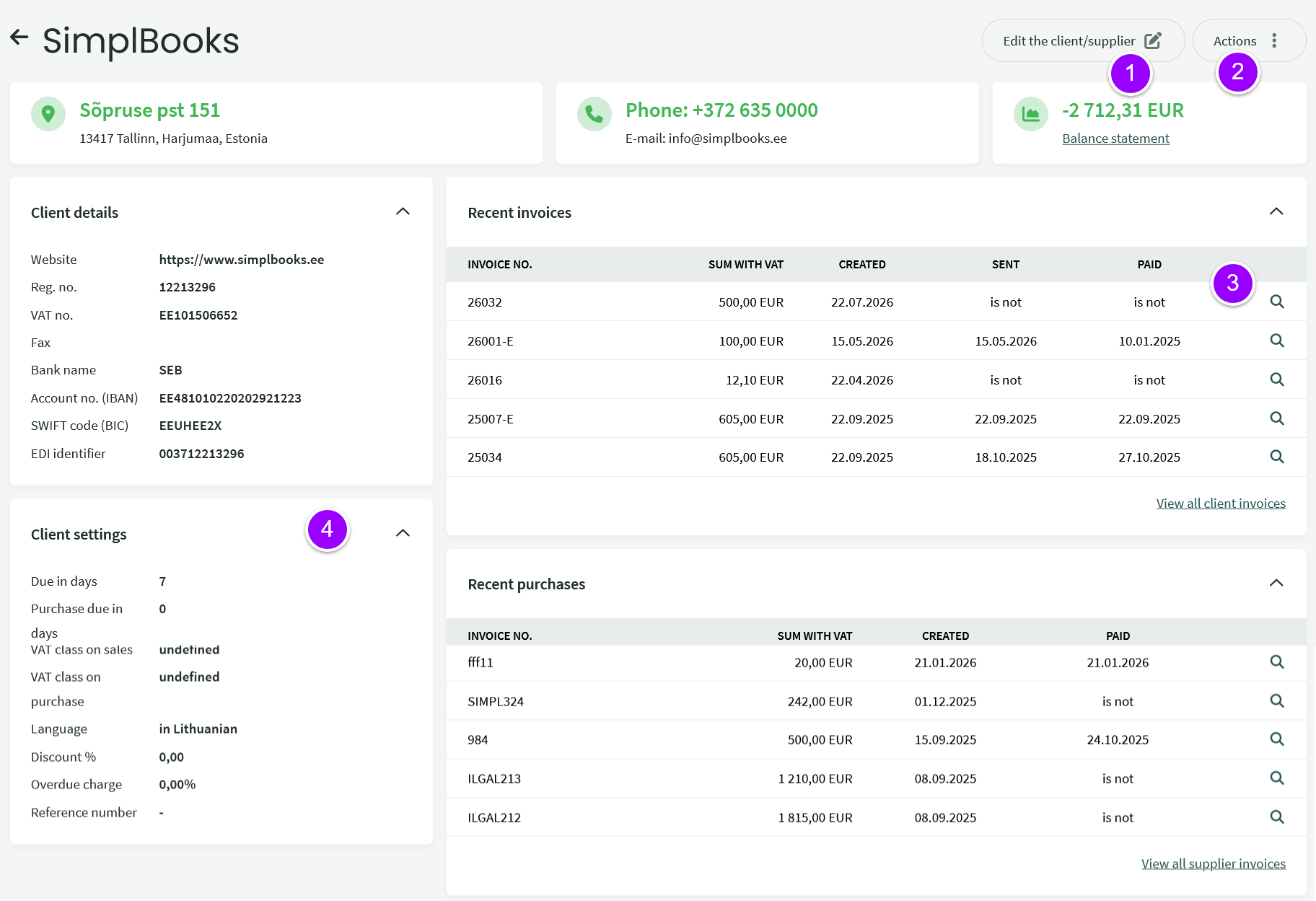
- Edit Client/Supplier Data
- Perform various actions – edit or export the debt reconciliation report (Balance Statement), view the transaction statement (debt changes), add a sales account, order, etc.
- This section shows the latest related invoices.
- Client settings are displayed, which you can change by clicking Edit client data (point 1).
Below on the client card, you will see various related information, including notes, contact persons, and more.
If you have more questions, please email us at support@simplbooks.lt.

Leave A Comment?